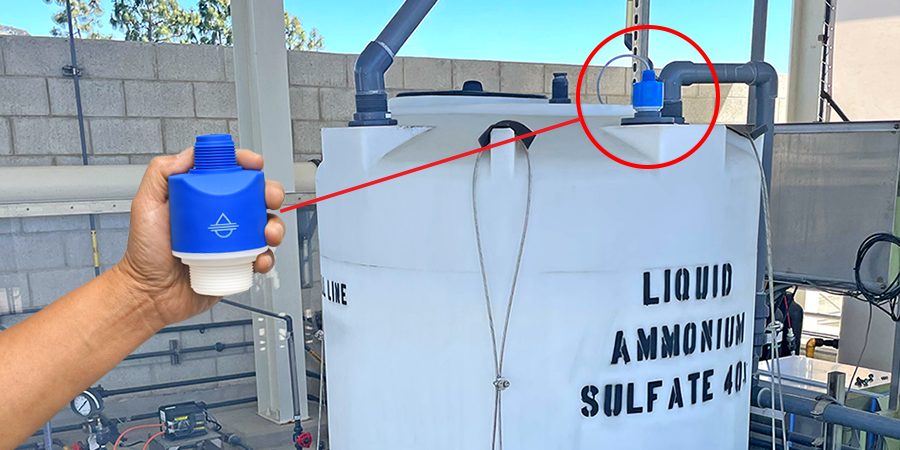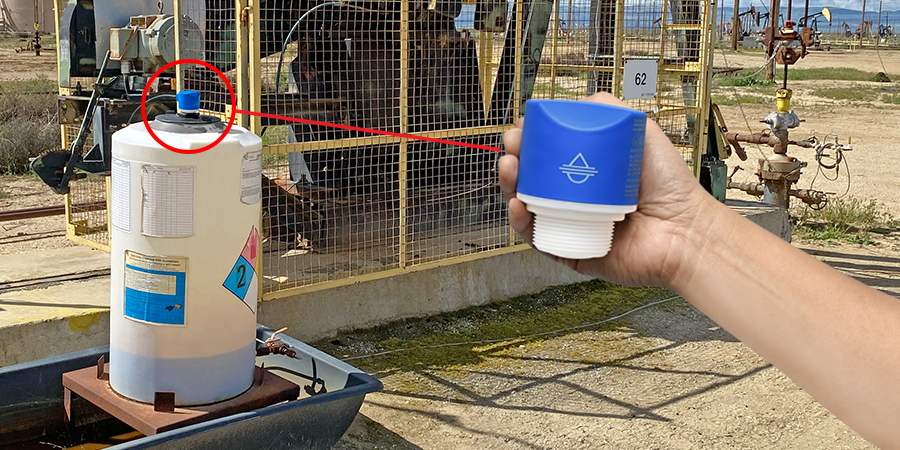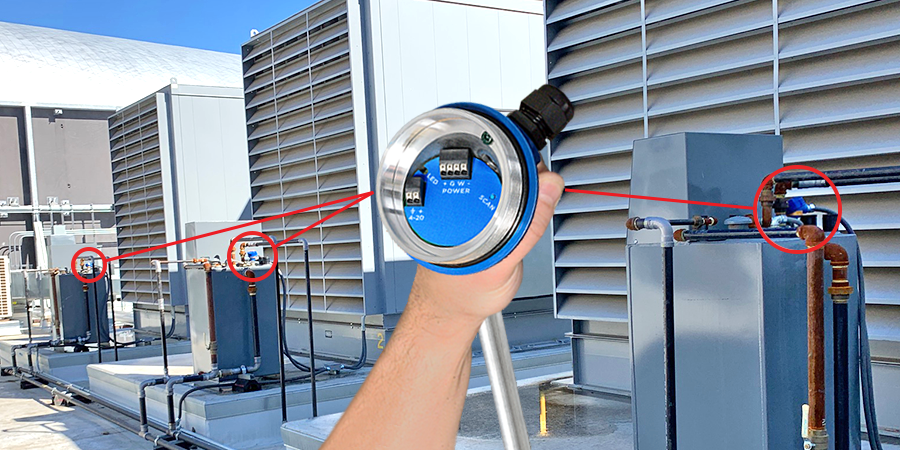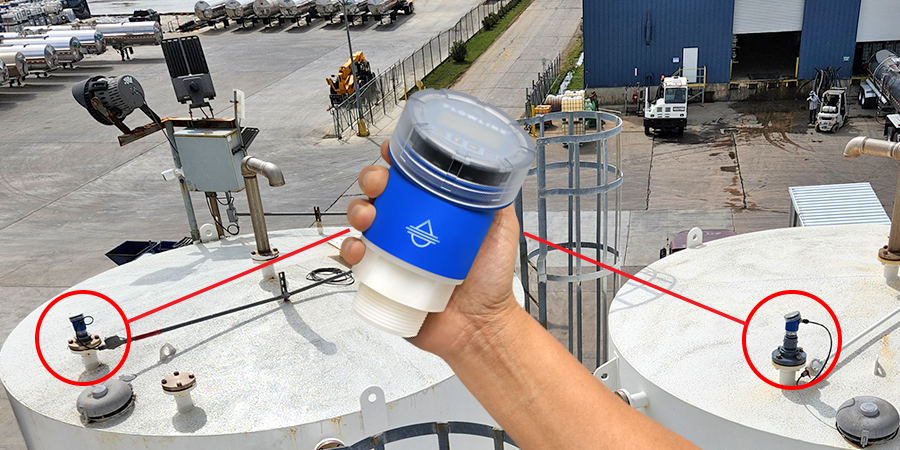
Replace 4-Point Float Trees and External Relay Controllers
EchoSwitch II
Float trees are connected to an external controller, providing control logic and actuation with a pump/valve or multiple alarms. The typical 4-point configuration includes Hi-Hi, Hi, Lo and Lo-Lo set points. The HI-Hi and Lo-Lo points are alarms. The Hi and Low points define the control span in which the pump or valve will be actuated to fill or empty the tank. While these two separate components provide level detection and control, they do so with the following limitations:
- The float switch assembly and it's set points are fabricated to order and cannot be altered.
- Float switches often fail due to contact with corrosive, sticky or dirty liquid.
- The float switch, controller wiring harness and controller hardware increase installation and hardware costs.
- If float switch is connected to a PLC, changes are software driven and can only be done by trained staff or contractors.

Relay Wiring
EchoSwitch II
The EchoSwitch II features three 60 VA, 1A max SPDT relays. All three relays are isolated and can be wired to switch either Normally Open (NO) or Normally Closed (NC). The example below shows Relay 2 wired NC and Relay 3 wired NO. Make sure to select a relay state that is fail-safe and takes into account when power is lost to the EchoSwitch II.

Note #1
Isolate power to instrument from power to load (pumps, etc.) as much as possible by running power to the sensor directly from main power source.
Switching Inductive Loads
The use of suppressors (snubbers) is strongly recommended when switching inductive loads to prevent disrupting the microprocessor's operation. The suppressors also prolong the life of the relay contacts. Suppression can be obtained with resistor-capacitor (RC) networks assembled by the user. Refer to the following circuits for RC network assembly and installation:
- R: 0.5 to 1 Ohms for each volt across the contacts
- C: 0.5 to 1 µF for each amp through closed contacts
Notes
- Use capacitors rated for 250 VAC.
- RC networks may affect load release time of solenoid loads. Check to confirm proper operation.
- Install the RC network at the meters relay screw terminals. An RC network may also be installed across the load. Experiment for best results.

Automatic Empty with High and Low Level Alarm
EchoSpan, EchoSwitch II & EchoSafe
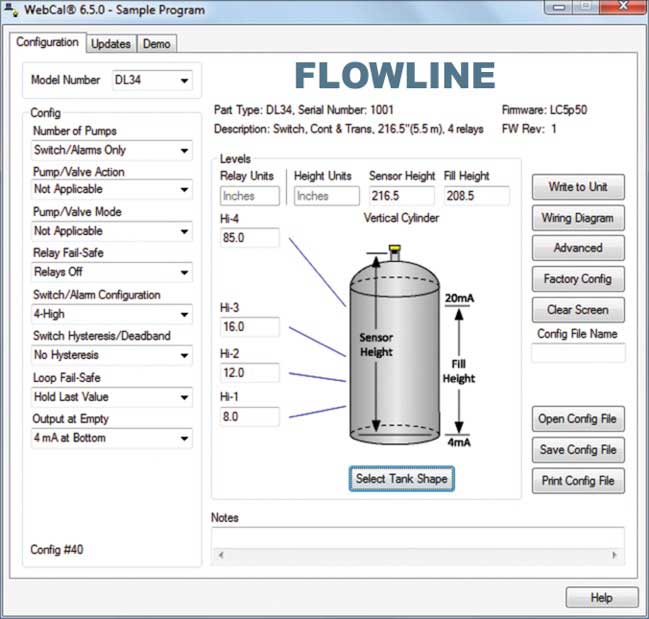
It's as easy as 1, 2, 3. First, measure from the bottom of the tank up and determine the Tank Height, Fill Height and (3) Activation set points. Assign each of the (3) relays a function. All relays have the same control functionality and their assignment is based on user preference. Enter relay set point values based on previous established measurements and set-points. Relays configured to an alarm function will require specifying high and low set-points and Hysteresis to eliminate relay chatter. The factory default hysteresis setting is 0" and is specified from 0" to 6" in 1/10" increments. Relays configured for pump or valve control must specify fill or empty function, with start and stop set-points. All values are established with the UP, DOWN and SELECT buttons through a self-prompting menu.

Ultrasonic Level Sensor Displays FULL
EchoSpan, EchoSwitch II & EchoSafe
When the display of an EchoSpan, EchoSwitch II or EchoSafe displays FULL, this indicates that the level being read is above the Fill-H setting. E.G.: If Height = 100" and Fill-H = 90", then the transmitter will read FULL when the level is above 90.0" of liquid.
If the display is reading FULL all the time, then the issue may be with the Fill-H setting. The Fill-H (fill height) setting is the distance from the bottom of the tank to the FULL level of liquid. This is a measurement of liquid and not the distance from the bottom of the sensor to the FULL liquid level.
E.G.: if an EchoSpan was configured with a Height = 100" and a Fill-H = 10", then this places the 4 mA 100" away from the EchoSpan and a full tank will be 10" above the bottom of the tank. All readings above 10" of liquid will be considered FULL. The correct Fill-H setting for this tank is 90". This places 4 mA at the bottom and 20 mA, or 90", above the bottom of the tank.
EchoPod & EchoSonic II
The Height and Fill-H settings are the same for the EchoPod and EchoSonic II. The difference is the values are entered through WebCal. To identify that the EchoPod or EchoSonic II sensor has an incorrect Fill-H setting, read the current output or the level height on the display. If the transmitter reads 20 mA (current) or a full level (level height) continuously, then the Fill-H setting is incorrect.
Automatic Empty with High and Low Level Alarm
EchoSpan, EchoSwitch II & EchoSafe
It's as easy as 1, 2, 3. First, measure from the bottom of the tank up and determine the Tank Height, Fill Height and (3) Activation set points. Assign each of the (3) relays a function. All relays have the same control functionality and their assignment is based on user preference. Enter relay set point values based on previous established measurements and set-points. Relays configured to an alarm function will require specifying high and low set-points and Hysteresis to eliminate relay chatter. The factory default hysteresis setting is 0" and is specified from 0" to 6" in 1/10" increments. Relays configured for pump or valve control must specify fill or empty function, with start and stop set-points. All values are established with the UP, DOWN and SELECT buttons through a self-prompting menu.

Ultrasonic Level Sensor Displays FULL
EchoSpan, EchoSwitch II & EchoSafe
When the display of an EchoSpan, EchoSwitch II or EchoSafe displays FULL, this indicates that the level being read is above the Fill-H setting. E.G.: If Height = 100" and Fill-H = 90", then the transmitter will read FULL when the level is above 90.0" of liquid.
If the display is reading FULL all the time, then the issue may be with the Fill-H setting. The Fill-H (fill height) setting is the distance from the bottom of the tank to the FULL level of liquid. This is a measurement of liquid and not the distance from the bottom of the sensor to the FULL liquid level.
E.G.: if an EchoSpan was configured with a Height = 100" and a Fill-H = 10", then this places the 4 mA 100" away from the EchoSpan and a full tank will be 10" above the bottom of the tank. All readings above 10" of liquid will be considered FULL. The correct Fill-H setting for this tank is 90". This places 4 mA at the bottom and 20 mA, or 90", above the bottom of the tank.
EchoPod & EchoSonic II
The Height and Fill-H settings are the same for the EchoPod and EchoSonic II. The difference is the values are entered through WebCal. To identify that the EchoPod or EchoSonic II sensor has an incorrect Fill-H setting, read the current output or the level height on the display. If the transmitter reads 20 mA (current) or a full level (level height) continuously, then the Fill-H setting is incorrect.
Ultrasonic Level Sensor Displays FULL
EchoSpan, EchoSwitch II & EchoSafe
When the display of an EchoSpan, EchoSwitch II or EchoSafe displays FULL, this indicates that the level being read is above the Fill-H setting. E.G.: If Height = 100" and Fill-H = 90", then the transmitter will read FULL when the level is above 90.0" of liquid.
If the display is reading FULL all the time, then the issue may be with the Fill-H setting. The Fill-H (fill height) setting is the distance from the bottom of the tank to the FULL level of liquid. This is a measurement of liquid and not the distance from the bottom of the sensor to the FULL liquid level.
E.G.: if an EchoSpan was configured with a Height = 100" and a Fill-H = 10", then this places the 4 mA 100" away from the EchoSpan and a full tank will be 10" above the bottom of the tank. All readings above 10" of liquid will be considered FULL. The correct Fill-H setting for this tank is 90". This places 4 mA at the bottom and 20 mA, or 90", above the bottom of the tank.
EchoPod & EchoSonic II
The Height and Fill-H settings are the same for the EchoPod and EchoSonic II. The difference is the values are entered through WebCal. To identify that the EchoPod or EchoSonic II sensor has an incorrect Fill-H setting, read the current output or the level height on the display. If the transmitter reads 20 mA (current) or a full level (level height) continuously, then the Fill-H setting is incorrect.
Ultrasonic Level Sensor Displays FULL
EchoSpan, EchoSwitch II & EchoSafe
When the display of an EchoSpan, EchoSwitch II or EchoSafe displays FULL, this indicates that the level being read is above the Fill-H setting. E.G.: If Height = 100" and Fill-H = 90", then the transmitter will read FULL when the level is above 90.0" of liquid.
If the display is reading FULL all the time, then the issue may be with the Fill-H setting. The Fill-H (fill height) setting is the distance from the bottom of the tank to the FULL level of liquid. This is a measurement of liquid and not the distance from the bottom of the sensor to the FULL liquid level.
E.G.: if an EchoSpan was configured with a Height = 100" and a Fill-H = 10", then this places the 4 mA 100" away from the EchoSpan and a full tank will be 10" above the bottom of the tank. All readings above 10" of liquid will be considered FULL. The correct Fill-H setting for this tank is 90". This places 4 mA at the bottom and 20 mA, or 90", above the bottom of the tank.
EchoPod & EchoSonic II
The Height and Fill-H settings are the same for the EchoPod and EchoSonic II. The difference is the values are entered through WebCal. To identify that the EchoPod or EchoSonic II sensor has an incorrect Fill-H setting, read the current output or the level height on the display. If the transmitter reads 20 mA (current) or a full level (level height) continuously, then the Fill-H setting is incorrect.
Displaying Engineering Units on Flowline Indicators & Controllers
DataLoop, DataView & FluidWell
Flowline meters and controllers are able to display engineering units including gallons/liters, feet/meters, inches/centimeters and percentage in the tank. 5-digit meters or controllers are capable of displaying numbers up to 99,999 or less. 6-digit meters or controllers are capable of displaying numbers up to 999,999 or less. A meter or controller can display the following engineering units of measure: gallons/liters, feet/meters, inches/centimeters and percent.


The DataLoop LI25, DataView LI55 or Fluidwell 300400 incorporate a dual line display. This enables the engineering text to be displayed along with the reading of the tank. The display will show the level with a descriptor in the units your application requires. The DataView LI55 can display up to 7-segments of alphanumeric characters while the DataLoop LI25 can display 3-alphanumeric characters. The Fluidwell 300400 features settings such as gal, L, mL, inch, FT, m, mm, cm, %, etc. Use this feature to provide more detailed information for your application.
Because the LI55 offers the most flexibility, it may also be confusing. Below are some suggestions for setting up the display:
- In the configuration menu, the top display is identified as the BIG display and the bottom as the LITTLE display.
- Always choose "process value" (d PU) for the BIG display even though the BIG display can also show the relay set points and min or max values.
- To show the engineering text on the LITTLE display, select (d) unit in the LITTLE display section.
- To turn off the LITTLE display, select (d) off in the LITTLE display section.
Displaying Engineering Units on Flowline Indicators & Controllers
DataLoop, DataView & FluidWell
Flowline meters and controllers are able to display engineering units including gallons/liters, feet/meters, inches/centimeters and percentage in the tank. 5-digit meters or controllers are capable of displaying numbers up to 99,999 or less. 6-digit meters or controllers are capable of displaying numbers up to 999,999 or less. A meter or controller can display the following engineering units of measure: gallons/liters, feet/meters, inches/centimeters and percent.


The DataLoop LI25, DataView LI55 or Fluidwell 300400 incorporate a dual line display. This enables the engineering text to be displayed along with the reading of the tank. The display will show the level with a descriptor in the units your application requires. The DataView LI55 can display up to 7-segments of alphanumeric characters while the DataLoop LI25 can display 3-alphanumeric characters. The Fluidwell 300400 features settings such as gal, L, mL, inch, FT, m, mm, cm, %, etc. Use this feature to provide more detailed information for your application.
Because the LI55 offers the most flexibility, it may also be confusing. Below are some suggestions for setting up the display:
- In the configuration menu, the top display is identified as the BIG display and the bottom as the LITTLE display.
- Always choose "process value" (d PU) for the BIG display even though the BIG display can also show the relay set points and min or max values.
- To show the engineering text on the LITTLE display, select (d) unit in the LITTLE display section.
- To turn off the LITTLE display, select (d) off in the LITTLE display section.
Displaying Engineering Units on Flowline Indicators & Controllers
DataLoop, DataView & FluidWell
Flowline meters and controllers are able to display engineering units including gallons/liters, feet/meters, inches/centimeters and percentage in the tank. 5-digit meters or controllers are capable of displaying numbers up to 99,999 or less. 6-digit meters or controllers are capable of displaying numbers up to 999,999 or less. A meter or controller can display the following engineering units of measure: gallons/liters, feet/meters, inches/centimeters and percent.


The DataLoop LI25, DataView LI55 or Fluidwell 300400 incorporate a dual line display. This enables the engineering text to be displayed along with the reading of the tank. The display will show the level with a descriptor in the units your application requires. The DataView LI55 can display up to 7-segments of alphanumeric characters while the DataLoop LI25 can display 3-alphanumeric characters. The Fluidwell 300400 features settings such as gal, L, mL, inch, FT, m, mm, cm, %, etc. Use this feature to provide more detailed information for your application.
Because the LI55 offers the most flexibility, it may also be confusing. Below are some suggestions for setting up the display:
- In the configuration menu, the top display is identified as the BIG display and the bottom as the LITTLE display.
- Always choose "process value" (d PU) for the BIG display even though the BIG display can also show the relay set points and min or max values.
- To show the engineering text on the LITTLE display, select (d) unit in the LITTLE display section.
- To turn off the LITTLE display, select (d) off in the LITTLE display section.
Contact Us
10500 Humbolt Street
Los Alamitos, CA 90720 U.S.A.
T: (562) 598-3015
level.solution@flowline.com
Level Tools
Get Level News
Receive your level application solutions